Blog
AWS
Terraform
6
minutes

37 minutes to deploy a fullstack app on my new AWS account

Today, I was working on our Terraform Provider, and I noticed that I never tried to deploy an application from scratch on a new and clean AWS account. Meaning, an empty AWS account - with 0 resources created. No VPC, no EC2, no Load Balancer, nothing... just an IAM user to get access to my AWS account programmatically. This post explains what I did and how it took 37 minutes and 33 seconds to literally: create a VPC (10 min) create an EKS cluster and a load balancer (5 min) create an ECR repository (10 sec) deploy an RDS database (15 min) build and deploy my Django app from GitHub (2 min) add a custom domain to my app (2 min) create a TLS for my custom domain (15 sec) And tada! 🎉 😅 Let's explain all of that!
September 26, 2025
Romaric PhilogĂšne
CEO & Co-founder
Summary
Twitter icon
linkedin icon

Am I a wizard?

No, no... Let me explain. To deploy my full-stack app and make it available online I used the Qovery Terraform Provider. Basically, it makes AWS super easy and straightforward for anyone. No need to bother in configuring all the tiny details of each AWS resource. Behind the scene, Qovery manages all of that for us and even give us access to all the configuration. But here, I am just going to focus on the high level.

Show me the code!

Yes sir! Here is my Terraform manifest.

terraform {
required_providers {
qovery = {
source = "qovery/qovery"
}
}
}

provider "qovery" {
token = var.qovery_access_token
}

resource "qovery_aws_credentials" "romaric_aws_creds" {
organization_id = var.organization_id
name = "romaric test AWS creds"
access_key_id = var.aws_access_key_id
secret_access_key = var.aws_secret_access_key
}

resource "qovery_cluster" "my_test_cluster" {
organization_id = var.organization_id
credentials_id = qovery_aws_credentials.romaric_aws_creds.id
name = "romaric test AWS cluster"
description = "Welcome in the TerraWorld"
cloud_provider = "AWS"
region = "eu-west-3"
cpu = 2000
memory = 8192

depends_on = [
qovery_aws_credentials.romaric_aws_creds
]
}

resource "qovery_project" "proj_test" {
organization_id = var.organization_id
name = "TestProj"

depends_on = [
qovery_cluster.my_test_cluster
]
}

resource "qovery_environment" "dev" {
project_id = qovery_project.proj_test.id
name = "dev"

depends_on = [
qovery_project.proj_test
]
}

resource "qovery_database" "psql" {
environment_id = qovery_environment.dev.id
name = "psql"
type = "POSTGRESQL"
version = "13"
mode = "MANAGED"
accessibility = "PRIVATE"
cpu = 500
memory = 256
storage = 10240

depends_on = [
qovery_environment.dev
]
}

resource "qovery_application" "backend" {
environment_id = qovery_environment.dev.id
name = "backend"
cpu = 500
memory = 256
state = "RUNNING"
git_repository = {
url = "https://github.com/evoxmusic/ShortMe-URL-Shortener.git"
branch = "main"
root_path = "/"
}
build_mode = "BUILDPACKS"
buildpack_language = "PYTHON"
min_running_instances = 1
max_running_instances = 1
ports = [
{
internal_port = 3333
external_port = 443
protocol = "HTTP"
publicly_accessible = true
}
]
environment_variables = [
{
key = "PORT"
value = "3333"
}
]

depends_on = [
qovery_environment.dev,
qovery_database.psql # IMPORTANT !
]
}

If you copy it and you run it with "terraform apply" - you will have the same result!

(venv) ~/I/q/c/romaric $ terraform apply -auto-approve
qovery_aws_credentials.romaric_aws_creds: Refreshing state... [id=]

Terraform used the selected providers to generate the following execution plan. Resource actions are
indicated with the following symbols:
+ create

Terraform will perform the following actions:

# qovery_application.backend will be created
+ resource "qovery_application" "backend" {
+ auto_preview = false
+ build_mode = "BUILDPACKS"
+ buildpack_language = "PYTHON"
+ cpu = 500
+ environment_id = (known after apply)
+ environment_variables = [
+ {
+ id = (known after apply)
+ key = "PORT"
+ value = "3333"
},
]
+ git_repository = {
+ branch = "main"
+ root_path = "/"
+ url = "https://github.com/evoxmusic/ShortMe-URL-Shortener.git"
}
+ id = (known after apply)
+ max_running_instances = 1
+ memory = 256
+ min_running_instances = 1
+ name = "backend"
+ ports = [
+ {
+ external_port = 443
+ id = (known after apply)
+ internal_port = 3333
+ protocol = "HTTP"
+ publicly_accessible = true
},
]
+ state = "RUNNING"
}

# qovery_cluster.my_test_cluster will be created
+ resource "qovery_cluster" "my_test_cluster" {
+ cloud_provider = "AWS"
+ cpu = 2000
+ credentials_id = "a4063773-c5f9-4377-a704-a803b1d67d63"
+ description = "Welcome in the TerraWorld"
+ id = (known after apply)
+ max_running_nodes = 10
+ memory = 8192
+ min_running_nodes = 3
+ name = "romaric test AWS cluster"
+ organization_id = ""
+ region = "eu-west-3"
+ state = "RUNNING"
}

# qovery_database.psql will be created
+ resource "qovery_database" "psql" {
+ accessibility = "PRIVATE"
+ cpu = 500
+ environment_id = (known after apply)
+ id = (known after apply)
+ memory = 256
+ mode = "MANAGED"
+ name = "psql"
+ state = "RUNNING"
+ storage = 10240
+ type = "POSTGRESQL"
+ version = "13"
}

# qovery_environment.dev will be created
+ resource "qovery_environment" "dev" {
+ cluster_id = (known after apply)
+ environment_variables = [
]
+ id = (known after apply)
+ mode = "DEVELOPMENT"
+ name = "dev"
+ project_id = (known after apply)
}

# qovery_project.proj_test will be created
+ resource "qovery_project" "proj_test" {
+ description = (known after apply)
+ environment_variables = [
]
+ id = (known after apply)
+ name = "TestProj"
+ organization_id = "67df37d8-6139-42eb-8c60-452395d1c2ab"
}

Plan: 5 to add, 0 to change, 0 to destroy.
qovery_cluster.my_test_cluster: Creating...
qovery_cluster.my_test_cluster: Still creating... [10s elapsed]
qovery_cluster.my_test_cluster: Still creating... [20s elapsed]
//...
qovery_cluster.my_test_cluster: Still creating... [17m50s elapsed]
qovery_cluster.my_test_cluster: Still creating... [18m0s elapsed]
qovery_cluster.my_test_cluster: Creation complete after 18m1s [id=b592bd58-06c6-4ea0-8bc2-4f95fec6ee57]
qovery_project.proj_test: Creating...
qovery_project.proj_test: Creation complete after 0s [id=346acd53-4ce2-4f00-b965-986dea9d0d78]
qovery_environment.dev: Creating...
qovery_environment.dev: Creation complete after 1s [id=c8dcd84f-845f-4343-8077-4cd5ca9c0721]
qovery_database.psql: Creating...
qovery_database.psql: Still creating... [10s elapsed]
qovery_database.psql: Still creating... [20s elapsed]
//...
qovery_database.psql: Still creating... [15m0s elapsed]
qovery_database.psql: Still creating... [15m10s elapsed]
qovery_database.psql: Creation complete after 1m10s [id=576f2a97-e5d8-49d0-a2a4-5f11df7e3780]
qovery_application.backend: Creating...
qovery_application.backend: Still creating... [10s elapsed]
qovery_application.backend: Still creating... [20s elapsed]
//...
qovery_application.backend: Still creating... [4m11s elapsed]
qovery_application.backend: Still creating... [4m21s elapsed]
qovery_application.backend: Creation complete after 4m23s [id=56cf6283-ccda-4c34-b875-c76bcb0dfadf]

Apply complete! Resources: 5 added, 0 changed, 0 destroyed.

So, if we take a closer look at the terraform output we see that we have some resources that are taking more time than the others.

qovery_cluster.my_test_cluster (15 min)

This resource represents the AWS VPC and EKS creation and it takes approximately 12 to 15 minutes to create the AWS VPC.

qovery_database.psql (15 min)

This one represents the AWS RDS instance. Behind the scene, Qovery enables backup, encryption, Point In Time Recovery, and all the things that can save your back in case of data loss. We can speed up the Postgres deployment time by switching to a "container" instance instead of a "managed" one. But here, I wanted to show how long in total it takes with an RDS one.

qovery_application.backend (4 min)

This step includes:

  1. The fetch of my app from GitHub (link here).
  2. The build with Buildpacks.
  3. The push in my ECR registry.
  4. The deployment of my app on my AWS EKS (Kubernetes) cluster.
  5. The domain and the TLS attached to my app.

It is a lot of small steps inside, but it's rather fast compared to the steps before.

Show me the result!

Here is the final result 😍

Video

Screenshots
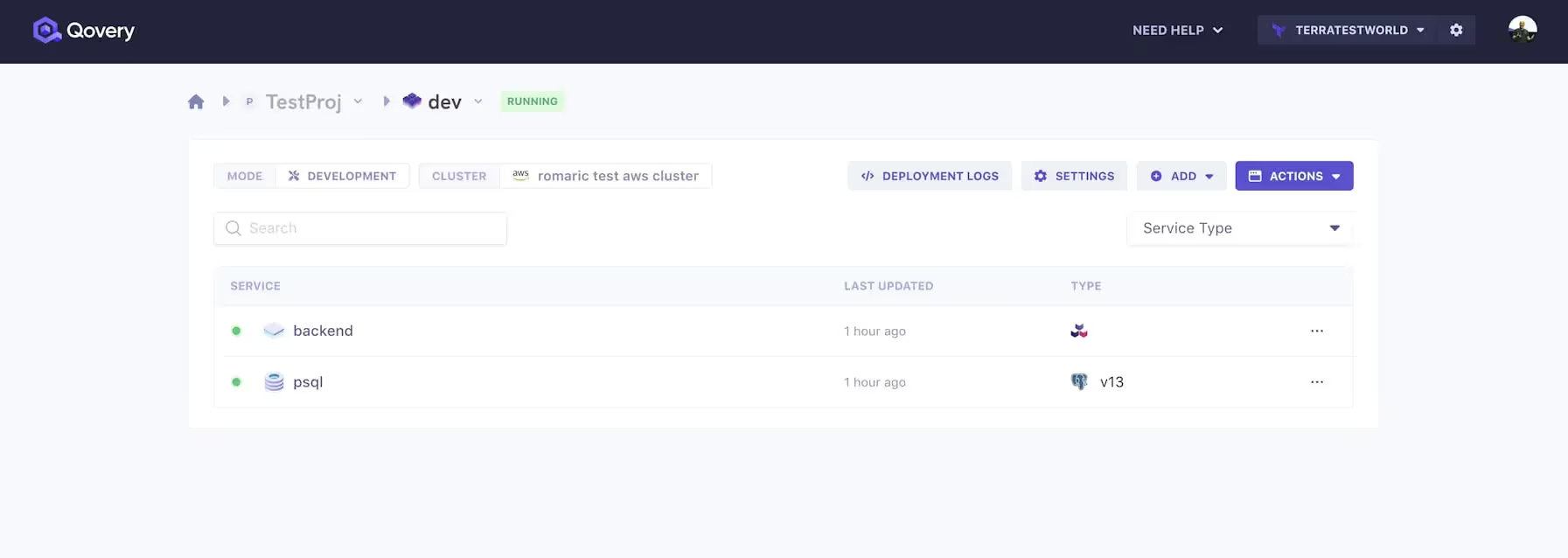
My app and database are running on my EKS cluster "romaric test aws cluster"
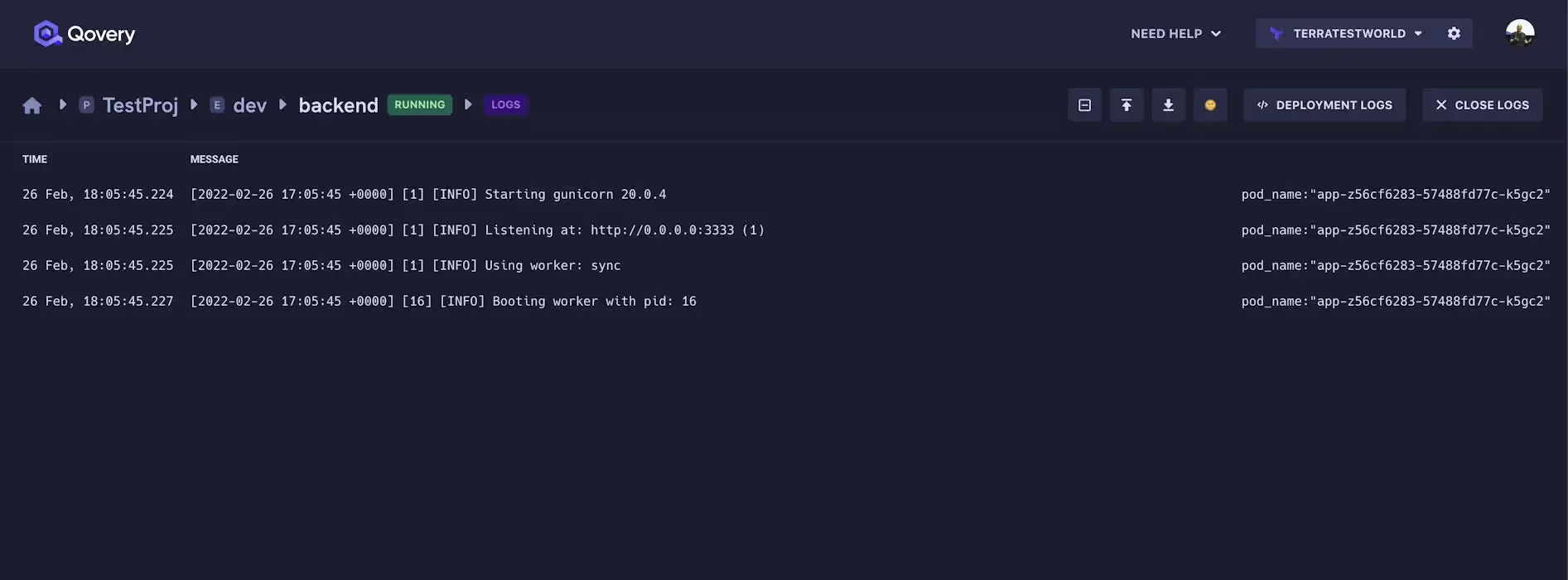
I can even watch my app logs in real time
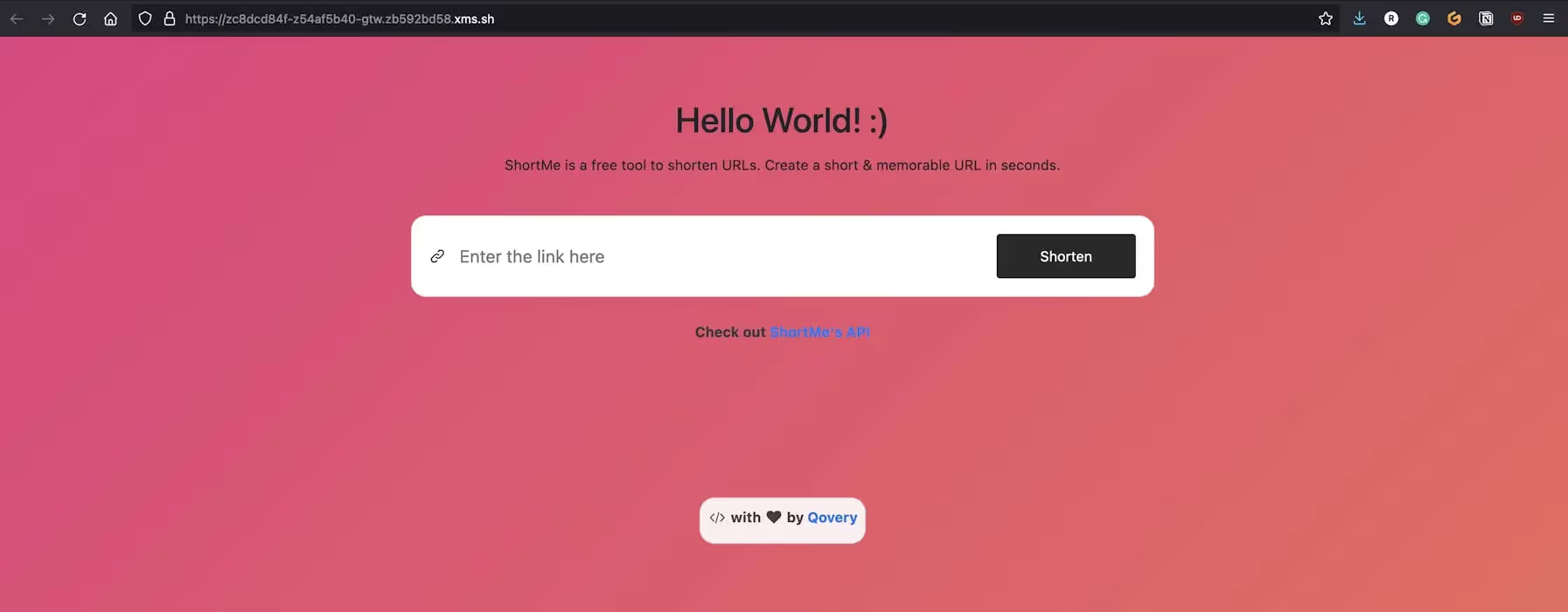
And this is my app accessible via a temporary domain and a TLS 😎

I hope you liked it!

Share on :
Twitter icon
linkedin icon
Tired of fighting your Kubernetes platform?
Qovery provides a unified Kubernetes control plane for cluster provisioning, security, and deployments - giving you an enterprise-grade platform without the DIY overhead.
See it in action

Suggested articles

Kubernetes
Terraform
 minutes
Managing Kubernetes deployment YAML across multi-cloud enterprise fleets

At enterprise scale, managing provider-specific Kubernetes YAML across multiple clouds creates crippling configuration drift and operational toil. By adopting an agentic Kubernetes management platform, infrastructure teams abstract cloud-specific configurations (like ingress controllers and storage classes) into a single, declarative intent that automatically reconciles across 1,000+ clusters.

Mélanie Dallé
Senior Marketing Manager
Kubernetes
Cloud
AI
FinOps
 minutes
GPU orchestration guide: How to auto-scale Kubernetes clusters and slash AI infrastructure costs

To stop GPU costs from destroying SaaS margins, teams must transition from static to consumption-based infrastructure by utilizing Karpenter for dynamic provisioning, maximizing hardware density with NVIDIA MIG, and leveraging Qovery to tie scaling directly to business metrics.
Mélanie Dallé
Senior Marketing Manager
Product
AI
Deployment
 minutes
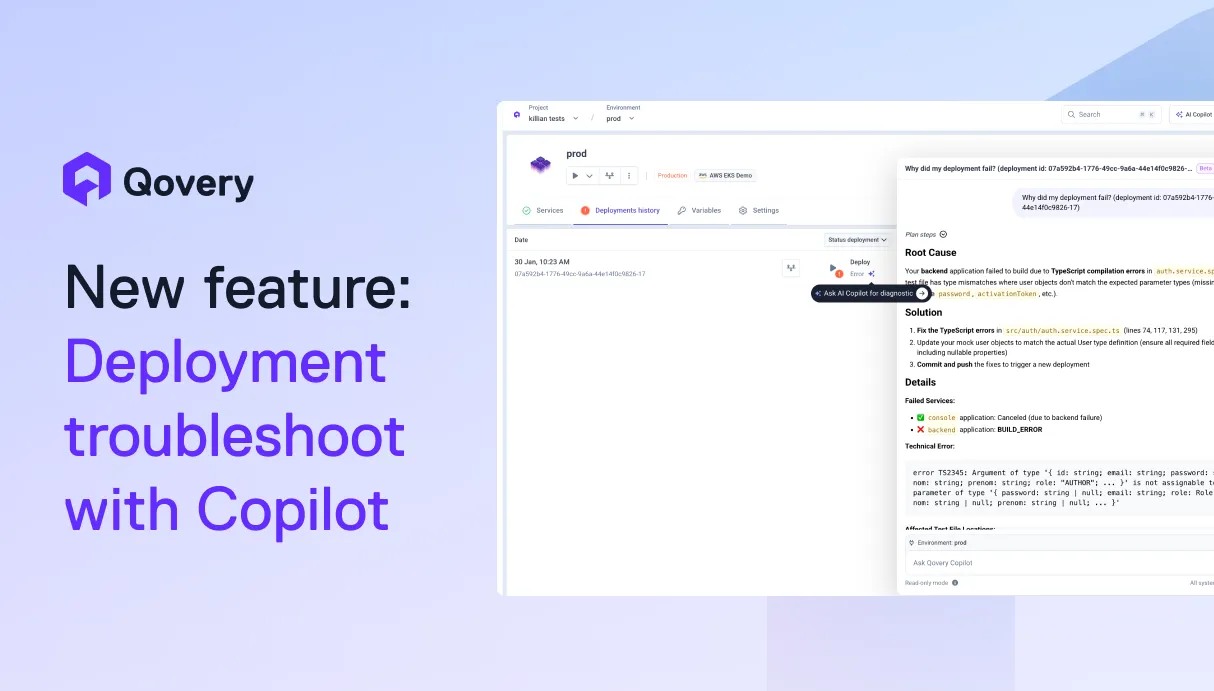
Stop Guessing, Start Shipping. AI-Powered Deployment Troubleshooting

AI is helping developers write more code, faster than ever. But writing code is only half the story. What happens after? Building, deploying, debugging, scaling. That's where teams still lose hours.We're building Qovery for this era. Not just to deploy your code, but to make everything that comes after writing it just as fast.

Alessandro Carrano
Head of Product
AI
Developer Experience
Kubernetes
 minutes
MCP Server is the future of your team's incident’s response

Learn how to use the Model Context Protocol (MCP) to transform static runbooks into intelligent, real-time investigation tools for Kubernetes and cert-manager.

Romain Gérard
Staff Software Engineer
Compliance
Developer Experience
 minutes
Beyond the spreadsheet: Using GitOps to generate DORA-compliant audit trails.

By adopting GitOps and utilizing management platforms like Qovery, fintech teams can automatically generate DORA-compliant audit trails, transforming regulatory compliance from a manual, time-consuming chore into an automated, native byproduct of their infrastructure.
Mélanie Dallé
Senior Marketing Manager
Kubernetes
7
 minutes
Day 2 operations: an executive guide to Kubernetes operations and scale

Kubernetes success is determined by Day 2 execution, not Day 1 deployment. While migration is a bounded project, maintenance is an infinite loop that often consumes 40% of senior engineering capacity. To protect margins and velocity, enterprises must transition from manual toil to agentic automation that handles scaling, security, and cost.
Mélanie Dallé
Senior Marketing Manager
Kubernetes
8
 minutes
The 2026 guide to Kubernetes management: master day-2 ops with agentic control

Master Kubernetes management in 2026. Discover how Agentic Automation resolves Day-2 Ops, eliminates configuration drift, and cuts cloud spend on vanilla EKS/GKE/AKS.

Mélanie Dallé
Senior Marketing Manager
DevOps
Kubernetes
6
 minutes
Day-0, day-1, and day-2 Kubernetes: defining the phases of fleet management

Day-0 is planning, Day-1 is deployment, and Day-2 is the infinite lifecycle of maintenance. While Day-0/1 are foundational, Day-2 is where enterprise operational debt accumulates. At fleet scale (1,000+ clusters), managing these differences manually is impossible, requiring agentic automation to maintain stability and eliminate toil.


Morgan Perry
Co-founder

It’s time to change‹the way you manage K8s

Turn Kubernetes into your strategic advantage with Qovery, automating the heavy lifting while you stay in control.